In a previous article, the basics of using local language models with Ollama were explained. This blog post is a continuation, discussing the use of an Application Programming Interface (API).
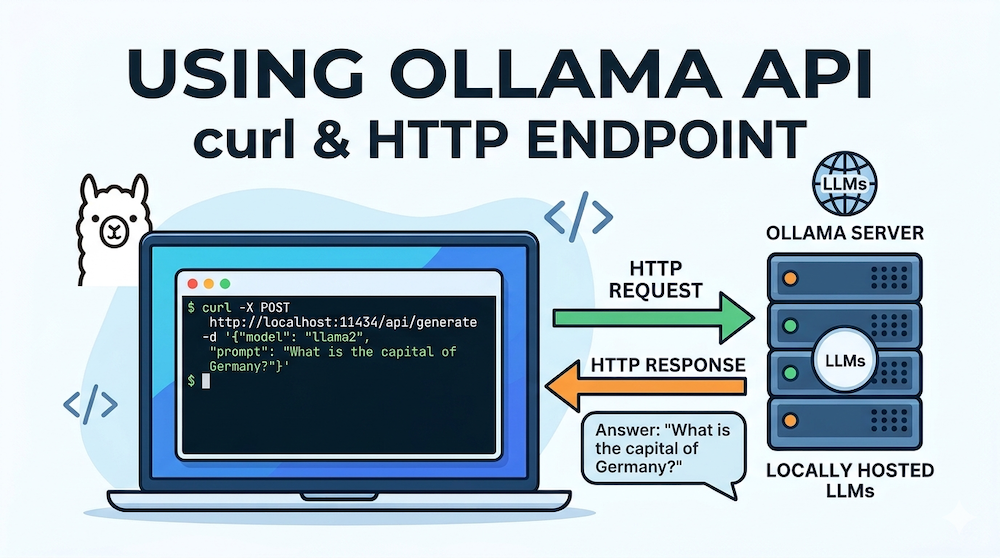
In addition to the ollama command or the graphical user interface, the Ollama-managed language models can also be accessed via an API. To enable this, Ollama opens port 11434, allowing access to endpoints through this port. I would like to demonstrate this using the curl command. Let’s first clarify what this tool is used for. The curl manual page states: “curl is a tool for transferring data from or to a server using URLs”. “Server” in this context doesn’t necessarily refer to another computer; rather, an Ollama service is running in the background. This can be recognized on macOS by the Ollama icon in the menu bar. If this service is running, you can access various endpoints. An overview of these endpoints is provided in the Ollama API reference.
The following example demonstrates how to use the curl command to send a question to an existing language model. In this example, the question is “Who was Ernst Haas?”, and the model used is gemma3.
curl http://localhost:11434/api/generate -d '{
  "model": "gemma3",
  "prompt": "Who was Ernst Haas?",
  "stream": false
}'The URL is passed to the curl command. localhost:11434 indicates that this request is directed to port 11434 on your own computer (localhost). It accesses the generate endpoint, model specifies the language model to use, and prompt contains the question to be sent. I’ve also added stream: false so that the words are not displayed line by line, but rather as a continuous text. After a short time, the answer appears in the terminal (abbreviated below):
{"model":"gemma3","created_at":"2025-11-08T08:16:22.594104Z",
"response":"Ernst Haas (1936-1986) was a hugely influential and
innovative Austrian photographer, particularly known for his
vibrant, almost surreal, color photographs of nightlife and
fashion in the 1960s and 70s. [...]"}However, there isn’t just one endpoint for generating a response. For example, consider the ollama list command. This command allows you to display the locally available language models. There is also an endpoint for this:
curl http://localhost:11434/api/tagsIt’s not very easy to read, though. jq can help with that:
curl -s http://localhost:11434/api/tags | jqYou can install this tool on a Mac using Homebrew:
brew install jqLet’s now take a look at some more endpoints: If you are only interested in the currently running language models, the following command is helpful:
curl http://localhost:11434/api/psYou can also display numerous details about a model:
curl http://localhost:11434/api/show -d '{
  "model": "gemma3"
}'If you want to download another language model, this can also be done via the API. The following example downloads deepseek-r1:
curl http://localhost:11434/api/pull -d '{
  "model": "deepseek-r1:8b"
}'Conclusion
The examples shown have illustrated how to access the Ollama API using curl. The API reference provides an overview of the available endpoints. Using the curl command is just one way to do this. A subsequent article will then discuss the use of Ollama’s API with a Python library.